
Book clubhouses, gyms, and shared spaces instantly through the URMET PLUS app.
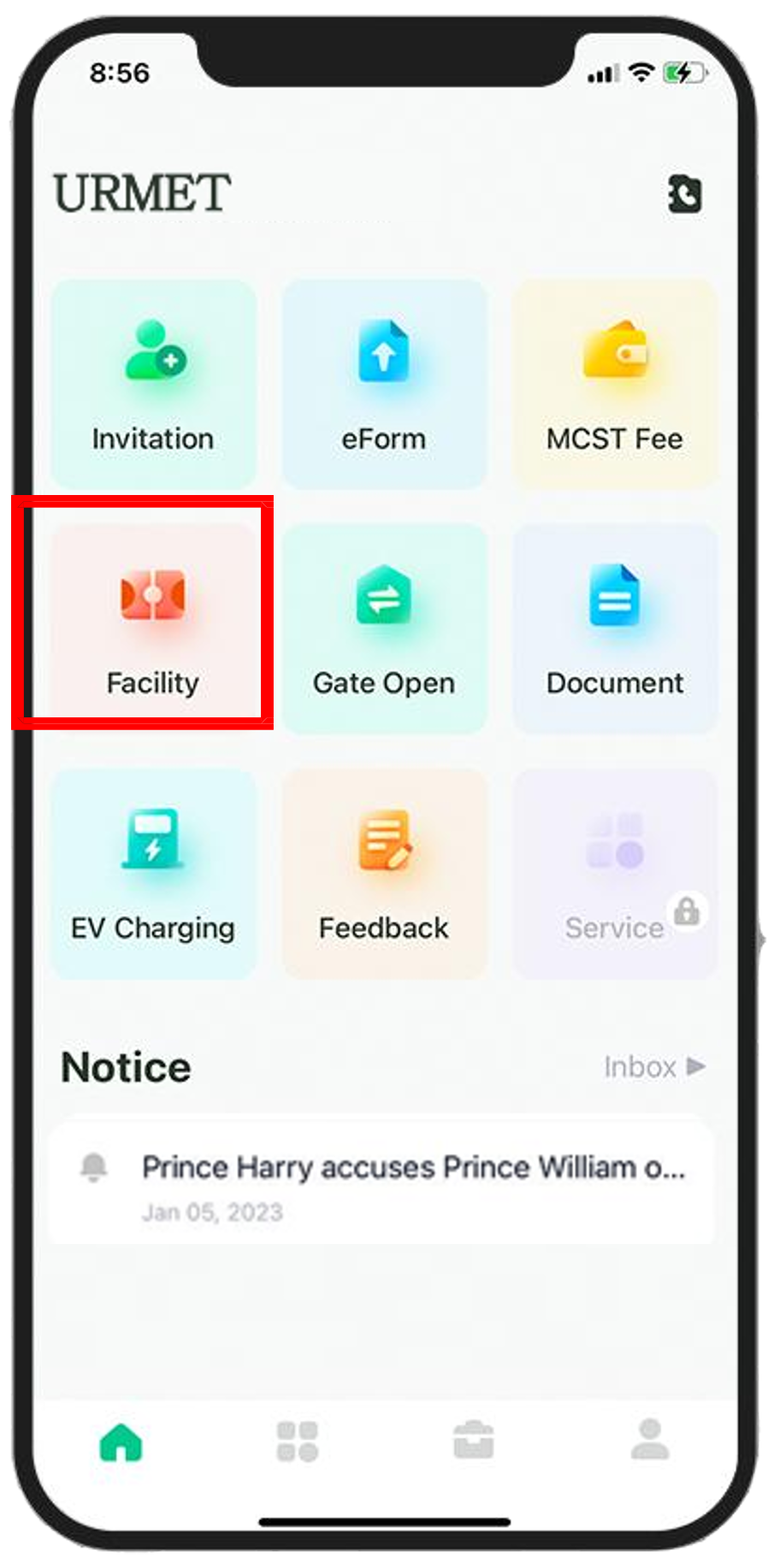
Resident clicks the Facility button from the main dashboard to view available amenities.
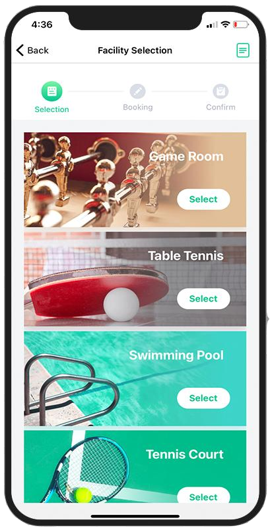
Browse and select the specific facility you want to book from the available residential list.
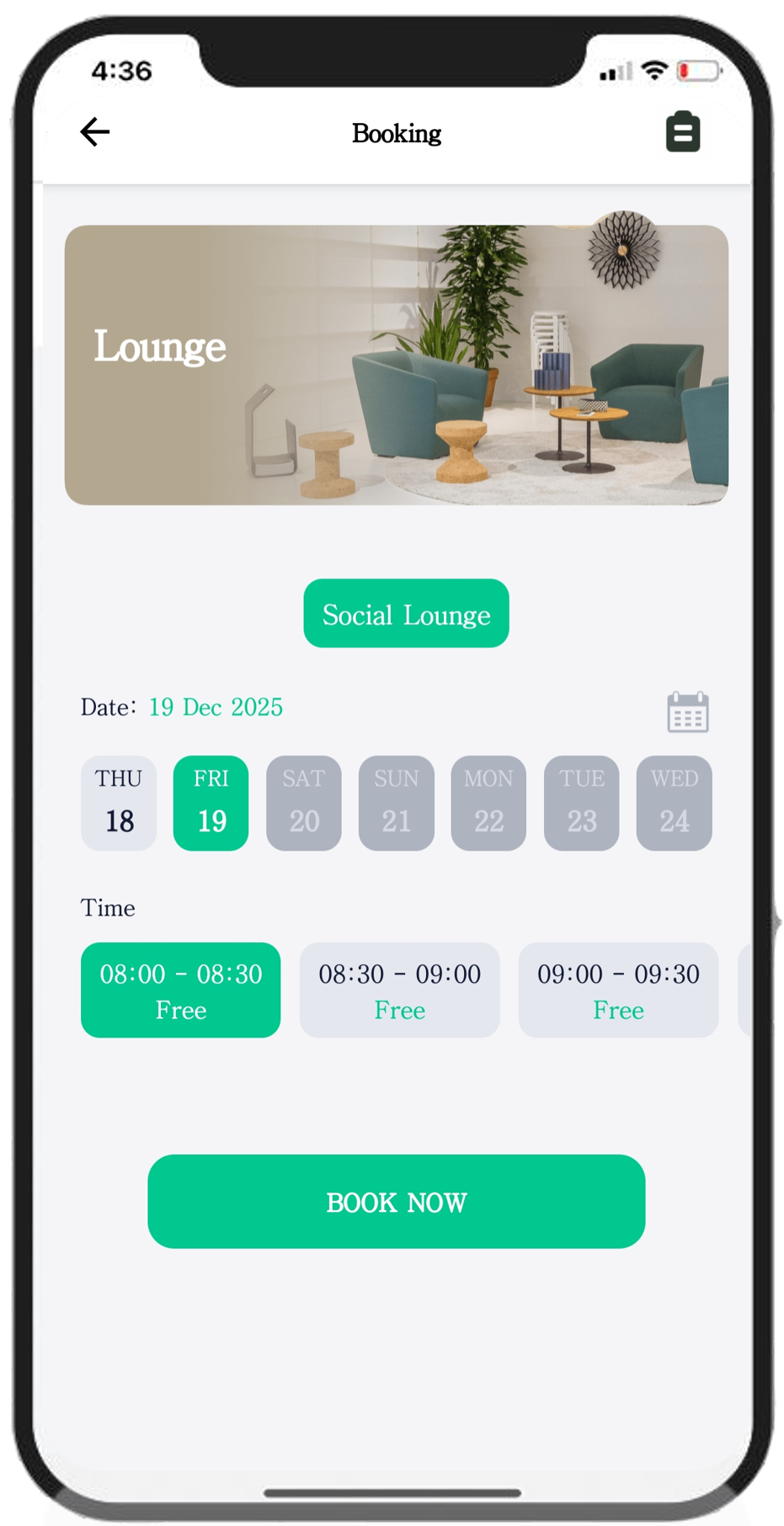
Select your preferred date and time slot, then click the Book Now button to proceed.
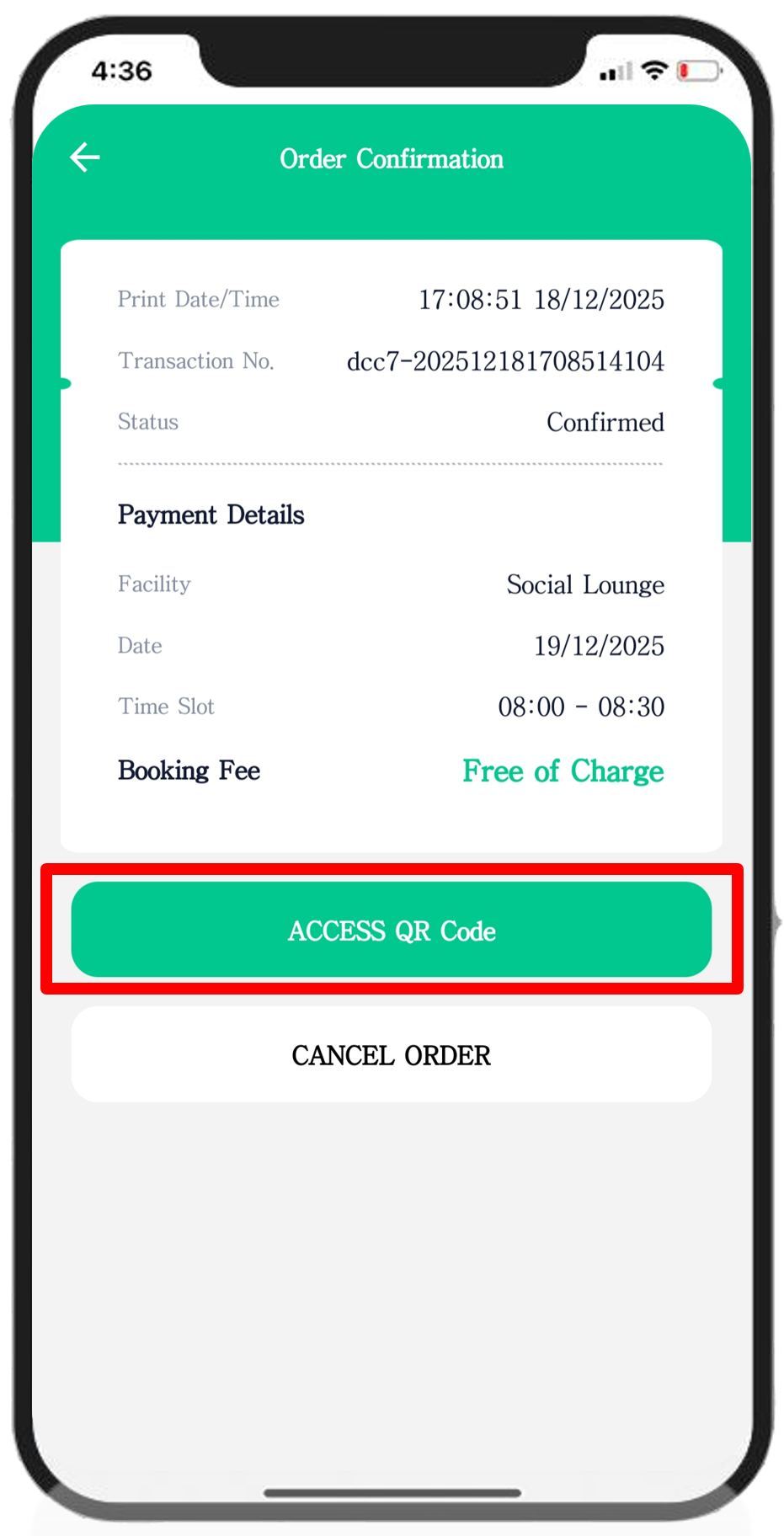
Review your order confirmation and click the ACCESS QR code button to finalize.
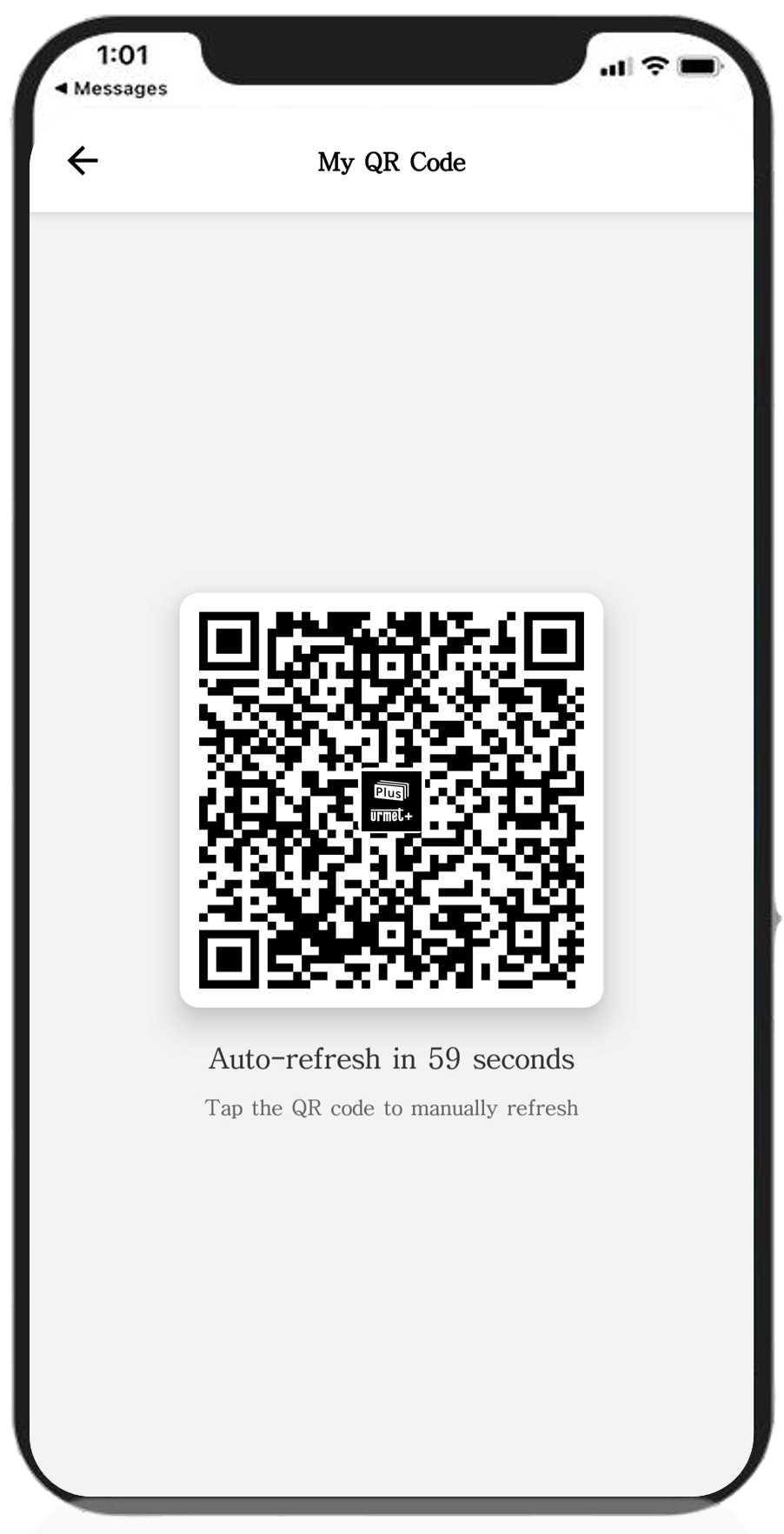
The resident receives the digital QR code to instantly scan and access the booked facilities.