
Grant temporary access to your visitors through our secure digital invitation system.
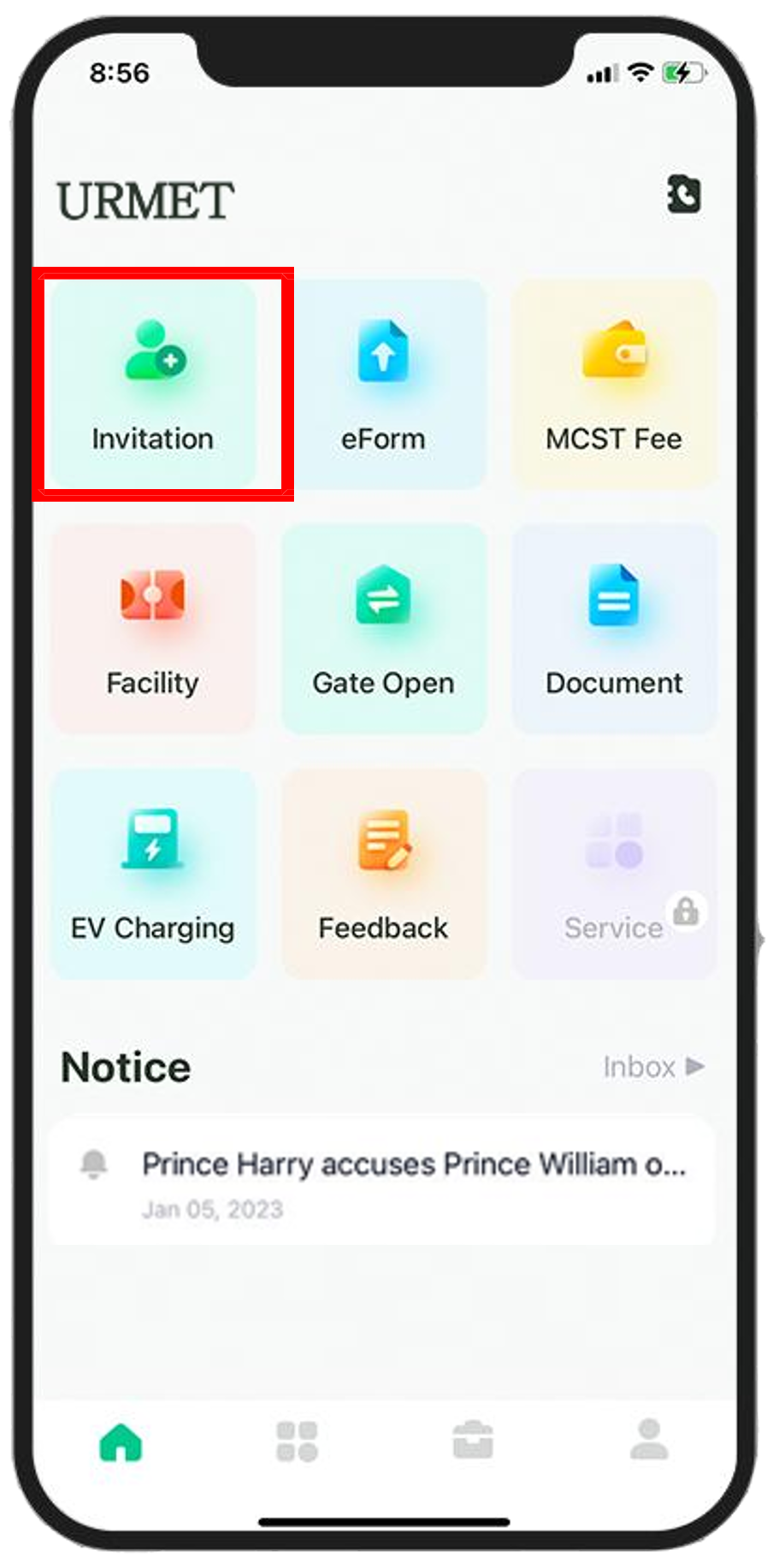
Open the URMET PLUS app as a resident and select the Send Invitation option.
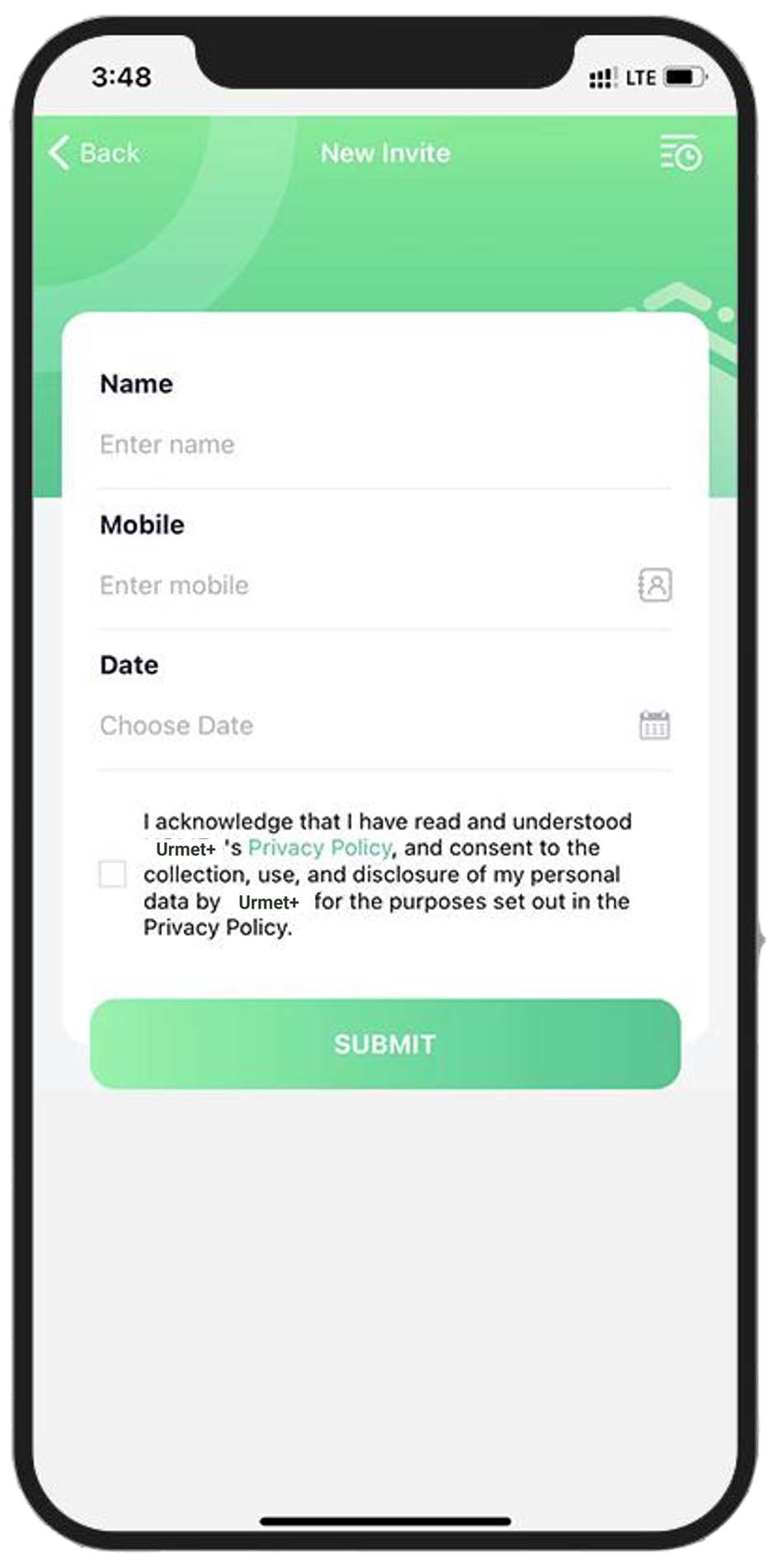
Input the visitor's information, set the arrival date and time, then tap the Submit button to generate the request.
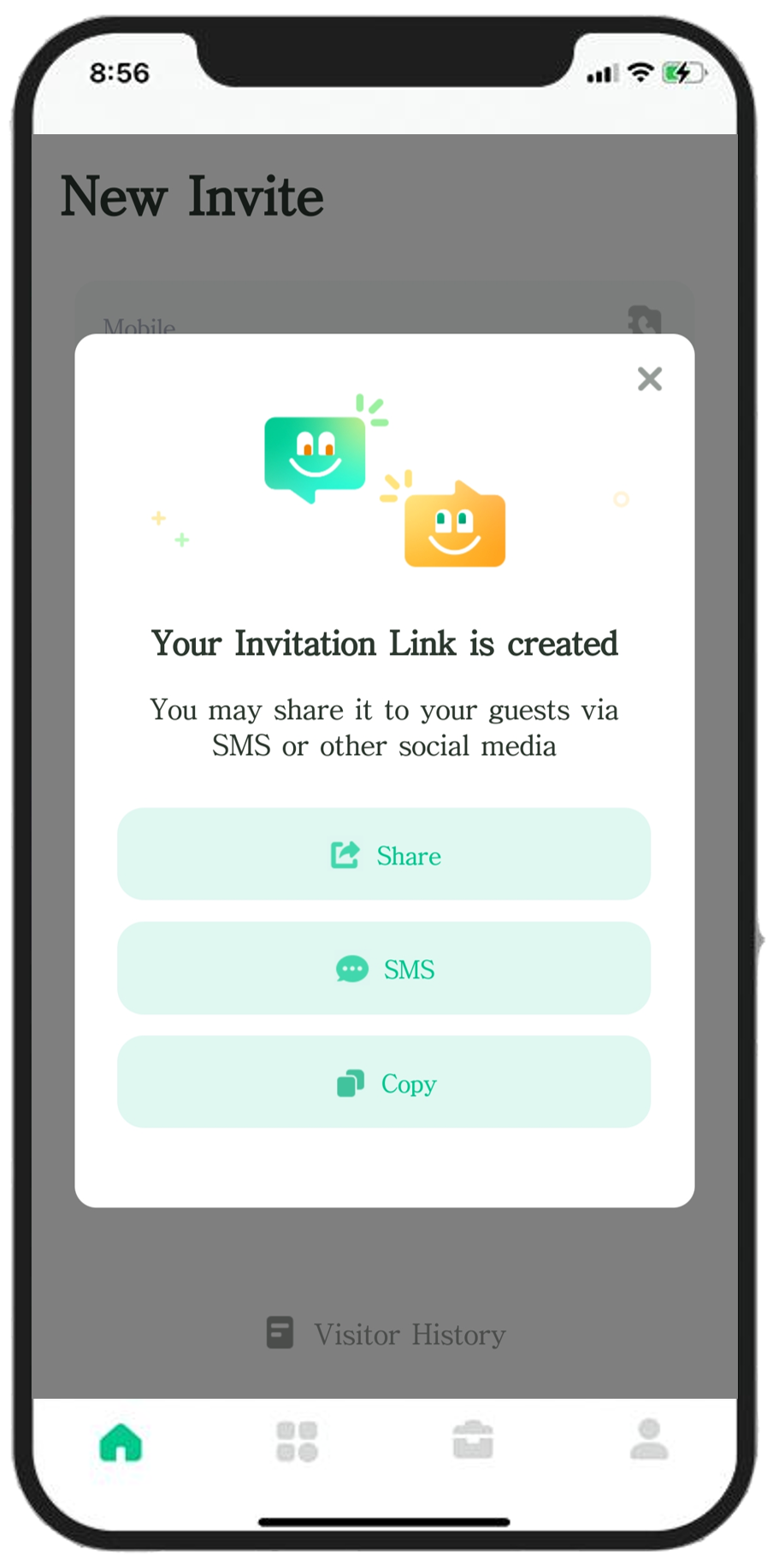
Simply Copy the Link generated by the app and send it to your guest via your preferred messaging platform.
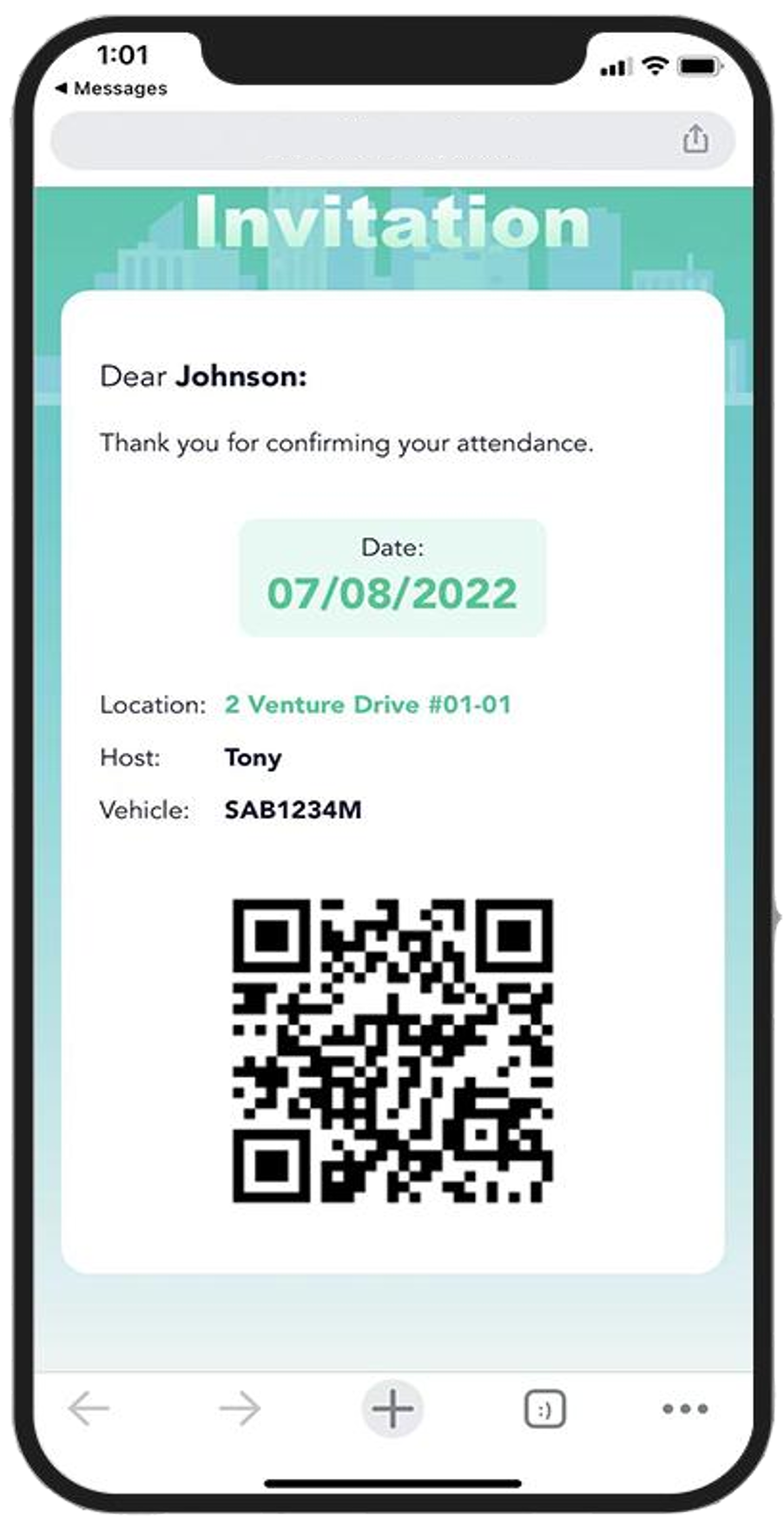
The visitor opens the link to receive their Invitation QR Code, ready to be scanned at the entry gate.